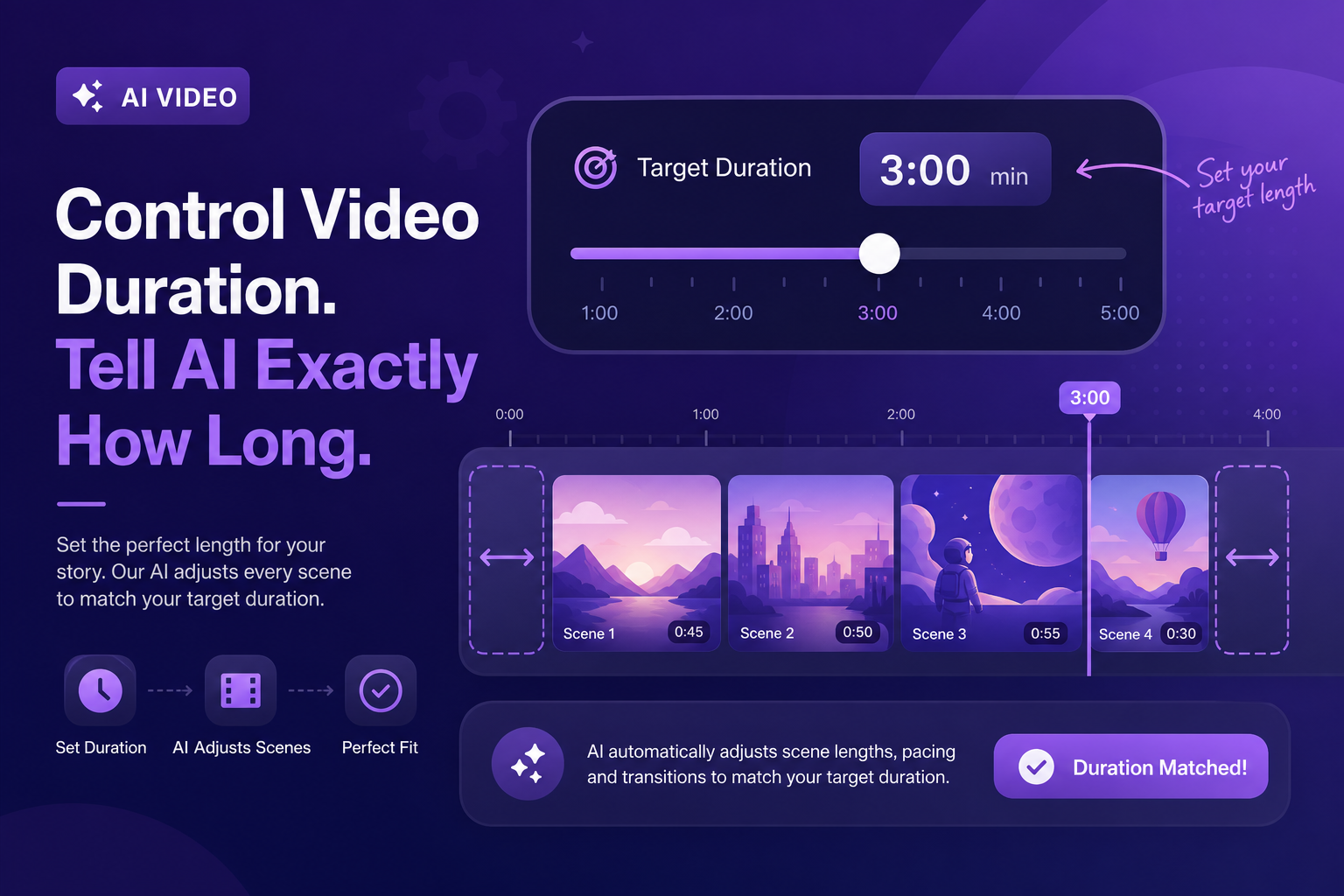
Duration Control — April 2026
Set the duration before you generate. Blog2Video hits the target.
Blog2Video now lets you set your target video duration before generating. The platform adapts scene count, narration density, and pacing to match the length you need — from 60-second shorts to 10-minute deep dives — without manual scene trimming after the fact.
Why video duration matters for every platform you publish on
Different platforms have different optimal video lengths, and different content types within the same platform have different expectations. A YouTube explainer for an evergreen tutorial performs better at five to eight minutes. A YouTube Short designed to hook a new audience needs to stay under sixty seconds. A LinkedIn summary clip has a different sweet spot than a full-length course lesson.
Previously, Blog2Video generated videos based on the length of the source article and its internal pacing logic. If the output came in longer or shorter than what you needed for the target platform, you had to open the scene editor and manually trim or expand scenes. That editing step added friction to every production cycle.
Duration control removes that step. Set your target length before generating. The platform adapts.
How duration control works
When you start a new video project, you now see a Duration target field alongside the template and language selectors. You enter your target length — or select from presets like Short (under 60 seconds), Standard (2 to 4 minutes), Detailed (5 to 8 minutes), and Deep Dive (8 to 15 minutes) — and Blog2Video uses that as a constraint when generating.
To hit shorter targets, the platform condenses narration to the most essential points from each section, reduces scene count by combining related content, and tightens transitions. To hit longer targets, it expands narration with more context and examples, adds additional scenes for sections that warrant deeper coverage, and includes supporting content like data callouts and quote scenes that shorter formats skip.
The result is a video that comes out close to your target duration on the first generation — not after a manual editing pass.
- Short preset: under 60 seconds — optimized for YouTube Shorts, Reels, and social hooks
- Standard preset: 2 to 4 minutes — general-purpose explainer and summary format
- Detailed preset: 5 to 8 minutes — full-coverage explainer for YouTube and embedded article video
- Deep Dive preset: 8 to 15 minutes — comprehensive long-form content for course-style or reference videos
- Custom duration: enter an exact target in minutes and seconds
Duration control across bulk generation
Duration control applies to bulk generation as well. When you convert multiple blog posts in a batch, every video in the batch targets the same duration setting. A batch of twenty articles set to Standard produces twenty videos in the two-to-four minute range — without any per-video adjustment.
This is especially useful for content strategies that need a consistent format across a series. If you are converting a newsletter archive into video, setting all videos to the same duration creates a series that feels structured and intentional rather than inconsistent across episodes.
Adjusting duration after generation
Duration control is a generation-time setting, not a lock on the final video. If the generated video comes in slightly longer or shorter than your target, you can still trim or expand individual scenes in the scene editor. The duration target gives you a strong starting point — close to the intended length on the first pass — which reduces how much scene-level adjustment you need afterward.
You can also regenerate with a different duration target if the first pass does not match your needs. Regeneration respects your scene-level edits where possible and adjusts the overall length.
Frequently Asked Questions
How accurate is the duration control? Will the video hit the target exactly?
The generated video will be close to your target — typically within 10 to 20 percent of the requested duration. Exact length depends on the source article length, the complexity of the content, and the template's pacing. The duration control narrows the range significantly but does not guarantee frame-exact output.
Does duration control work with bulk generation?
Yes. The duration setting applies to every video in a bulk batch. All videos in the batch target the same duration preset or custom length, which helps maintain a consistent format across a content series.
Can I use duration control to create a YouTube Short from a long blog post?
Yes. Set the duration to Short (under 60 seconds) and Blog2Video condenses the article to the most essential hook and key point. The output is sized for Shorts and Reels without manual trimming.
What happens if my article is too short for a long target duration?
Blog2Video expands coverage by adding supporting content — data callouts, quote scenes, and contextual explanations — drawn from the source article. If the article genuinely does not have enough content to fill the target duration meaningfully, the generated video will come in shorter than the target rather than padding with irrelevant content.
Can I change the duration after generating without losing my edits?
If you regenerate with a different duration, Blog2Video attempts to preserve your existing scene-level edits. However, significant duration changes may require adding or removing scenes, which can affect edits made to scenes that are consolidated or split.