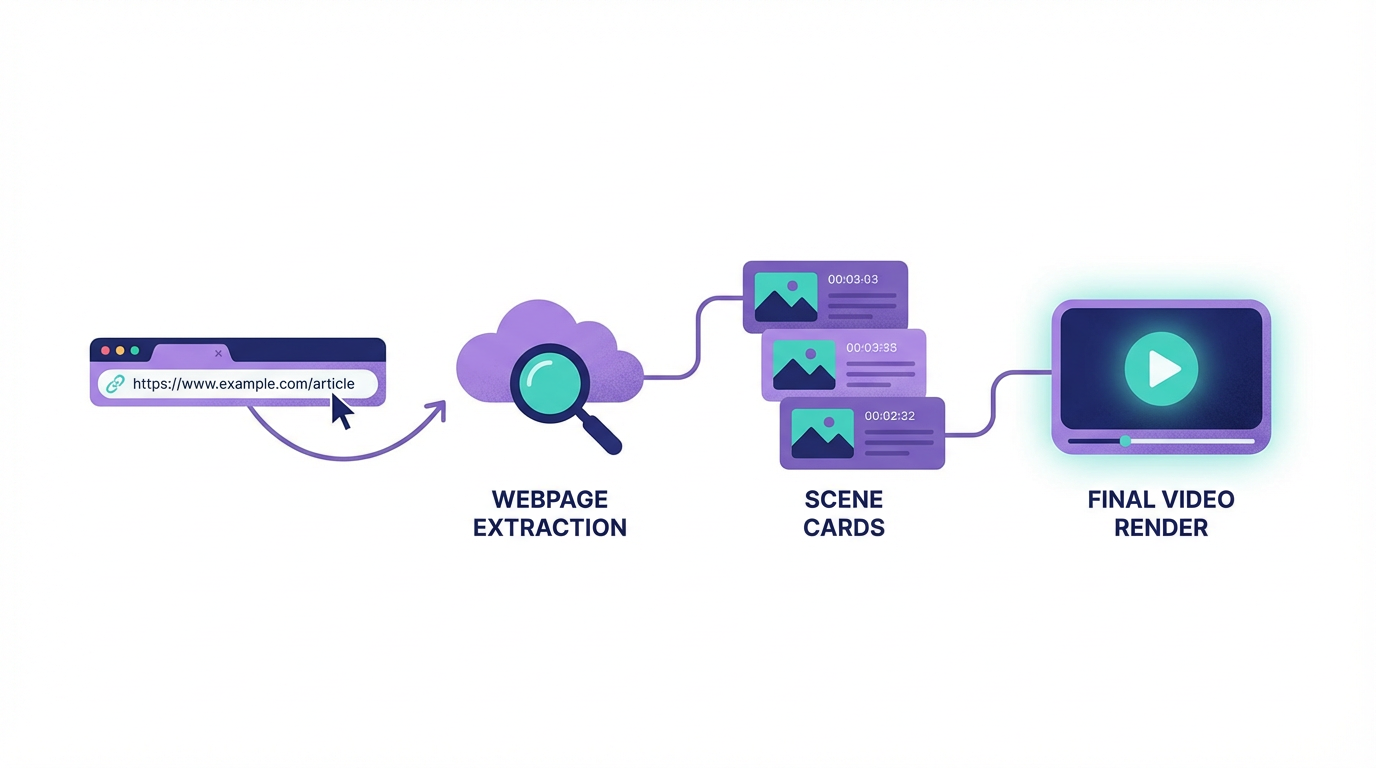
URL how-to
Turn a live URL into a video by extracting structure first
URL-first generation works best when the page already contains usable headings, copy, and assets. The faster the source can be understood, the faster the first video draft appears.
Start from a page with clean structure
The best URLs for video generation already have strong headings, readable copy, and assets worth reusing. A chaotic page usually produces a chaotic draft because the automation can only amplify what is already there.
This is why URL-to-video is best understood as a repurposing workflow rather than a magic cleanup tool.
Extract first, then edit
The point of URL-first generation is to accelerate the first draft, not to skip editorial judgment entirely. Once the page becomes scenes, the next step is checking whether the sequence, emphasis, and visuals still reflect the original intent of the page.
That is usually a much faster job than rebuilding the same logic by hand in a video editor.
- Paste the public URL.
- Review the extracted structure and scene order.
- Adjust scenes that over-explain, under-explain, or miss the core proof.
Use URL workflows to unlock published archives
URL-first repurposing is especially useful for content libraries that are already public: blogs, newsletters, landing pages, and documentation. It makes the archive actionable because every live page can become a candidate for video output.
That creates a scalable route from written publishing to a broader video library.
Treat the final output like a content asset, not a scrape
The finished video should feel intentional and branded, not like a raw page extraction. Templates, scene editing, and voiceover decisions are what turn a fast draft into a useful distribution asset.
Speed matters, but trustworthy output matters more.
How Blog2Video handles this
1. Paste the URL — Blog2Video fetches the page content live: headings, body text, and structure. No copying, no reformatting.
2. Review the scene outline — The extracted content appears as an editable scene-by-scene breakdown. Adjust anything before rendering.
3. Generate and share — Render a narrated video from the URL content, then publish to YouTube, embed on your site, or share on social.
Frequently Asked Questions
Who is this guide for around URL to video?
It is designed for written-first creators and teams who already have source material and want a repeatable path into video rather than a prompt-only workflow.
Does this help with using live pages as the source for video?
Yes. Each article is written to help you turn one content asset into multiple formats while keeping the original message intact.