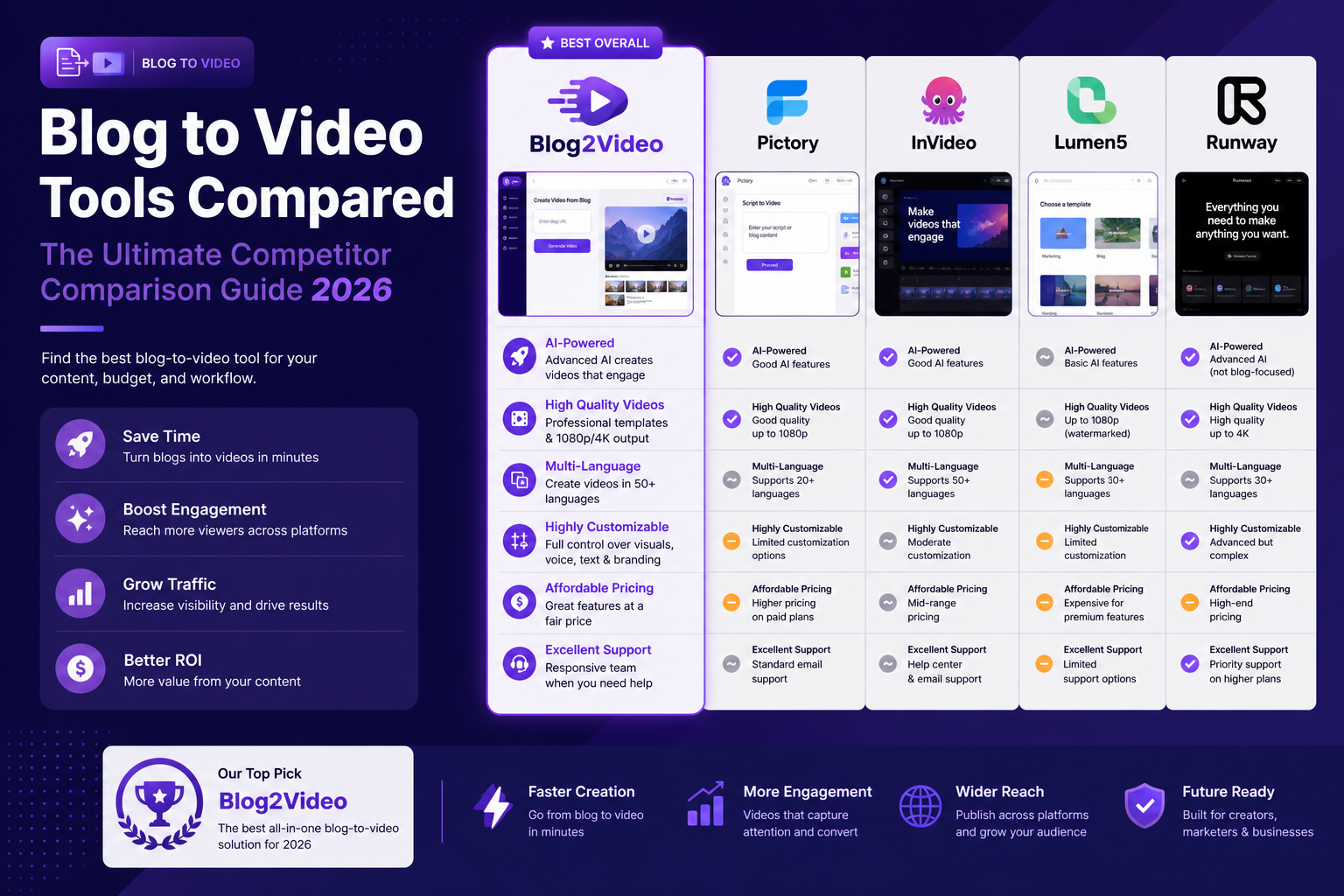
Ultimate comparison guide
Blog2Video vs every competitor: the honest 2026 breakdown.
There are now more than a dozen tools that claim to turn written content into video. The pricing ranges from $0 to $200 a month. The architectures are fundamentally different. And most review articles treat them as interchangeable when they are not. This guide covers Blog2Video against twelve competitors — pricing verified in May 2026, features tested, honest about where each tool wins.
Why this comparison exists
Most tool comparison articles are written by affiliate marketers who rank platforms by commission rate, not by how well they actually solve the problem. This one is written by the team that builds Blog2Video. That means we have a bias — but it also means we have tested every tool on this list with real articles, not demo content.
The core question this guide answers is: if you have a blog post, guide, or article and want to turn it into a video, which tool gives you the best result for the least friction? The answer is different depending on whether your content is technical, narrative, short-form, long-form, avatar-dependent, or code-heavy.
We have organized this guide as a tool-by-tool breakdown with current pricing, then a feature matrix, then a use-case routing section that tells you which tool to pick for each specific scenario. Skip to whichever section is most useful to you.
- All prices verified against each tool's pricing page in May 2026.
- Feature assessments based on live testing, not marketing copy.
- We note where competitors are the stronger choice — this is not a one-sided pitch.
- Free tiers, trial limits, and credit caps are called out explicitly.
Blog2Video: what it is and how it's priced
Blog2Video is built for one specific problem: turning a published article, blog post, PDF, or document into a structured video without losing the content. Unlike most tools on this list, it does not use stock footage. Every scene is rendered programmatically using React components, which means code blocks appear as syntax-highlighted code, bullet lists render as visual layouts, and comparisons become structured side-by-side panels.
The input is a URL or uploaded document. Blog2Video reads the full structure — headings, paragraphs, bullets, code blocks, images — and maps each section to a video scene. After generation, you can edit individual scenes using the AI scene editor without re-rendering the whole video.
Templates available in 2026: Nightfall, Spotlight, Whiteboard, Gridcraft, Matrix, Newspaper, Bloomberg Terminal, Chronicle, Geometric Explainer, Mosaic, Newscast, and Blackswan — 12 in total with 60+ layouts across them. Exports include MP4 video, PNG slides (for LinkedIn carousels), PDF decks, and PowerPoint. Every video also gets a shareable URL and an iframe embed code.
- Free: 2 videos, no watermark, no credit card required.
- Pay-as-you-go: $3.99/video (1–9), $3/video (10–30), $2.80/video (31–200).
- Standard: $34.99/month ($27.99/month billed annually) — 30 videos/month.
- Pro: $59.99/month ($47.99/month billed annually) — 100 videos/month plus unlimited AI edit and image generation.
- No minute caps, no per-voice upsells, no credit system on subscription plans.
Lumen5 — the original blog-to-video platform
Lumen5 is the tool that popularized the category. Paste a URL and it generates a storyboard with stock footage, text overlays, and background music. The brand kit support is strong, the stock library is large (500M+ assets on higher tiers), and the interface is genuinely easy to use.
The limitation is architectural: Lumen5 is built around stock footage overlays, not content fidelity. It reads your article and picks clips that match keywords — not the argument flow, not the examples, not the data. The result looks like a generic marketing video, which may or may not be what you need.
Pricing (as of May 2026): Free tier (watermarked, 720p, 5-video cap), then paid plans starting around $19/month. No AI avatars on any tier. No code block support. Scene editing requires manual intervention per scene.
- Best for: generic marketing content, brand-kit consistency, high-volume social clips.
- Limitation: stock footage replaces content rather than preserving it; no technical content support.
- Pricing: Free (watermarked) → paid from ~$19/month.
Pictory — auto-summarization and stock footage
Pictory converts blog URLs, scripts, and long-form text into video using auto-summarization and stock footage. Its standout feature is text-based editing of existing videos — you can edit the video by editing the transcript, which is genuinely useful for post-production. It also supports auto-captioning and AI voice in multiple languages.
The pricing model is the most common complaint. The Starter plan at $25/month (annual) gives 200 video minutes and 100 AI credits, but AI voice minutes are capped separately and ElevenLabs voices add another layer of limits. Users frequently hit caps at the worst possible moment.
Technical content — code, diagrams, data tables — is not preserved. Pictory auto-summarizes the article and layers the summary over stock clips. For general marketing content this works fine; for educational or technical writing the output loses the specificity that made the article useful.
- Best for: general content repurposing, text-based video editing, moderate-volume marketing teams.
- Limitation: minute-based pricing is confusing; technical content is stripped by auto-summarization.
- Pricing: Starter $25/month annual ($29 monthly) — 200 video minutes, 100 AI credits. Professional $34.99/month annual. Team $119/month annual. 14-day free trial.
InVideo AI — prompt-first AI video at scale
InVideo AI is a general-purpose AI video generator that can also import blog content. Its 2026 version gives access to 200+ AI models including Veo 3.1, Sora 2 Pro, Kling 3.0, and ElevenLabs — the model roster is more extensive than any other tool on this list. It can generate up to 30 minutes of video from a single prompt.
The trade-off is that InVideo AI is optimized for prompt-first creation, not article-first. When you paste a blog URL, the tool extracts a rough summary and treats it the same as if you typed a sentence. The article's headings, progressional structure, examples, and supporting logic are not preserved — the AI rewrites from the summary.
Pricing in 2026: Free plan with watermark and 10 export cap per week. Plus at $25/month ($20/month annual) removes the watermark, gives 50 AI videos per month at 1080p. Max at $59.99/month ($47.99/month annual) adds 120 videos/month, 4K, 320 iStock downloads, and unlimited voice cloning. Credit system — unused credits do not roll over.
- Best for: high-volume short-form video from prompts, access to cutting-edge generative models.
- Limitation: article structure is lost in the prompt abstraction; credit system is confusing.
- Pricing: Free (watermarked) → Plus $25/mo ($20 annual) → Max $59.99/mo ($48 annual).
Fliki — voice-first text to video
Fliki specializes in text-to-video with an emphasis on voice quality. It offers 2,000+ AI voices in 80+ languages and dialects, which is the deepest voice library on this list. It converts blog posts, PowerPoint files, and even tweets into video, and includes a series feature for managing ongoing content.
The visual output is stock-footage-based. Fliki matches clips to your text using keyword detection, but the results are interchangeable with what you'd get from Lumen5 or Pictory for the same article. The voice quality is the real differentiator — if you need multilingual voiceover at scale, Fliki's library is genuinely broader than most alternatives.
Pricing: Free tier with 3 credits/month (1-minute videos, 720p, watermarked, no commercial use). Standard plan with 1,000+ voices, 15-minute video length, YouTube publishing, and voice cloning. Premium adds 2,000+ voices, 40-minute videos, and AI video clip generation. Enterprise with custom credits and API access. Annual billing saves 25%.
- Best for: multilingual voiceover, voice-first content repurposing, creators who prioritize audio quality.
- Limitation: visuals are stock-footage-based; no code block or technical content support.
- Pricing: Free (watermarked, 3 credits/mo) → Standard → Premium → Enterprise. Annual saves 25%.
Synthesia — the enterprise AI avatar platform
Synthesia is the most established AI avatar platform on the market. Its 230+ photorealistic avatars and 140+ language support make it the leading choice for corporate training, compliance content, localized onboarding, and any scenario where a human-looking presenter is part of the value proposition.
For blog-to-video specifically, Synthesia is an indirect fit. You write a script, assign an avatar, and the tool renders the presenter delivering your content. There is no mechanism to read a URL and preserve article structure — you start from a script, not a source document. The output is always avatar-led.
Pricing: Basic (Free) — 10 minutes/month, 9 avatars, 160+ languages. Starter — $18/month annual ($29 monthly), 120 minutes/year, 125+ avatars, Full HD, AI dubbing. Creator — $64/month annual ($89 monthly), 360 minutes/year, 180+ avatars, Brand Kits, API access, interactive videos. Enterprise — unlimited minutes, 240+ avatars, SSO, SCIM.
- Best for: corporate training, localized presenter content, compliance video, multilingual spokesperson videos.
- Limitation: script-first only — no blog URL input, no content structure preservation.
- Pricing: Free (10 min/mo) → Starter $18/mo annual ($29 monthly) → Creator $64/mo annual ($89 monthly) → Enterprise custom.
HeyGen — avatars, translation, and presenter workflows
HeyGen is strong in three specific areas: photorealistic AI avatars (including custom Digital Twin clones), video translation and dubbing across 175+ languages, and interactive video formats with branching logic. For teams building localized presenter content, sales videos, or customer-facing spokesperson workflows, HeyGen is a natural fit.
Like Synthesia, HeyGen is script-first. You provide the narration, assign an avatar, and the tool handles the video. There is no blog URL import that preserves article structure — the tool's architecture optimizes for the presenter, not the source document.
Pricing: Free — 3 videos/month (max 1 minute, 720p). Creator — $29/month ($24 annual), 600 credits, up to 30 minutes, 1080p, voice cloning. Pro — $49/month, 1,000 credits, 4K export, faster processing. Business — $149/month, 1,500 credits, 60-minute videos, 5 Digital Twins, SSO, team collaboration. Enterprise — custom.
- Best for: avatar-led presenter videos, multilingual dubbing, interactive branching video, spokesperson content.
- Limitation: presenter-first architecture means article structure is manually reconstructed into a script.
- Pricing: Free (3 videos/mo, 1 min max) → Creator $29/mo ($24 annual) → Pro $49/mo → Business $149/mo → Enterprise custom.
VEED — the browser-based AI video editor
VEED is a strong all-in-one browser-based video editor with subtitles, stock media, screen recording, avatar generation, and an expanding AI toolkit. Its appeal is breadth — you can do most video editing tasks in VEED without installing anything. The auto-subtitle generator and text-based editing tools are genuinely polished.
Blog-to-video is one feature in VEED's larger editing platform, not the core product. You can convert a script or article into a video, but the workflow routes through the general editor rather than a dedicated article-to-video pipeline. For teams who already edit video regularly, this is an advantage. For teams who just want to convert articles quickly, it adds friction.
Pricing (2026): Five tiers — Free (limited, watermarked), Creator (~$20/month, 1080p, watermark removed), Pro (adds 4K, 2-hour video length, 500GB storage, brand kit), Studio (~$34.99/month, heavier AI usage), Enterprise (custom security and support). All plans are per-user — a three-person team on Pro pays 3× the listed price.
- Best for: general video editing, subtitles, screen recording workflows, teams who also do post-production.
- Limitation: blog-to-video is a bolt-on feature; per-user pricing makes team costs scale quickly.
- Pricing: Free → Creator ~$20/mo → Pro → Studio ~$34.99/mo → Enterprise custom. Per-user billing.
Descript — post-production editing with AI
Descript approaches video from the editing side rather than the generation side. Its core innovation is text-based video editing — you edit the transcript and the video edits itself. The Underlord AI suite adds overdub (voice cloning), filler-word removal, screen recording, and video generation from scripts.
For teams who already have video recordings and want to edit them efficiently, Descript is excellent. For teams trying to convert blog posts into video without existing footage, Descript is a more complex path — you would write a script, record or use an AI avatar, and then edit. The workflow is designed for post-production, not article-first generation.
Pricing: Free ($0). Hobbyist — $16/month ($24 annual), 10 hrs media/month, 400 AI credits, 1080p. Creator — $24/month ($35 annual), 30 hrs/month, 800 AI credits, 4K, full AI suite including video generation. Business — $50/month ($65 annual), 40 hrs/month, 1,500 AI credits, brand studio, video translation, custom avatars. Enterprise — custom.
- Best for: editing existing recordings, podcasts, interview footage, post-production-heavy workflows.
- Limitation: article-to-video requires manual scripting and recording before editing can begin.
- Pricing: Free → Hobbyist $16/mo ($24 annual) → Creator $24/mo ($35 annual) → Business $50/mo ($65 annual) → Enterprise.
Revid.ai — viral short-form video at scale
Revid.ai is built for a specific and narrow use case: generating viral short-form content for TikTok, Instagram Reels, and YouTube Shorts. It includes 100+ AI video tools, access to a library of 3M+ viral videos to remix, integration with Google Veo3 and Sora 2 models, and Auto-Mode workers that can generate content autonomously.
Revid.ai does include a blog-to-video converter, but the architecture is optimized for viral hooks and short-form engagement — not structured educational content. If you want your blog post turned into a punchy 60-second Reel with motion graphics and a hook designed for algorithmic discovery, Revid.ai is a viable choice. If you want the article's argument preserved across a 5-minute explainer, it is the wrong tool.
Pricing: Hobby — $39/month. Growth (currently discounted from $99 to $39/month, labeled best value) — 2,000 AI credits, 3 Auto-Mode Workers, 70+ language voiceovers, TikTok/Instagram/YouTube publishing, AI avatars, face swaps, full API and CLI access. Ultra — $199/month, 12,000 credits, 10 Auto-Mode Workers, voice cloning.
- Best for: viral short-form content, TikTok/Reels/Shorts optimization, high-volume automated posting.
- Limitation: not designed for long-form structured content; credit-based system limits volume at lower tiers.
- Pricing: Growth $39/mo (discounted from $99) → Ultra $199/mo.
VideoGen — fast and affordable text-to-video
VideoGen positions itself on speed and price. It claims sub-30-second video generation from text or URLs, includes AI voiceover, auto-subtitles, and AI b-roll matching. For teams that need high-volume, low-cost video output and are not concerned about content fidelity, VideoGen is the most affordable subscription on this list.
The feature set is narrower than heavier competitors — smaller stock library on lower tiers, fewer template options, no advanced scene editing. But if the use case is generating a large number of short marketing clips from blog URLs quickly, VideoGen delivers on that promise at a price point that makes it easy to justify.
Pricing: Pro — $12/month billed annually, 2,000 credits, 50GB storage, full feature access including AI avatars, image editing, and API. Enterprise — custom. Free tier exists but details are limited on the pricing page. Commercial use rights included on all paid plans.
- Best for: high-volume, budget-conscious marketing teams who need simple clip generation at scale.
- Limitation: narrower feature set; article structure is not preserved — output is keyword-matched stock footage.
- Pricing: Pro $12/mo (annual billing required) → Enterprise custom.
Flixier — cloud video editor with AI blog-to-video
Flixier is primarily a cloud-based video editor with extremely fast rendering times and multilingual subtitle support across 130+ languages. Its AI blog-to-video feature converts articles into video and can also convert blogs into podcast-style audio. The collaborative editing features are strong for agency teams.
Like VEED and Descript, Flixier's blog-to-video capability is one feature inside a broader video editing platform. The AI generation is solid but the workflow routes through the editor rather than being a dedicated article-first pipeline. Pricing is listed per seat in Singapore dollars.
Pricing (approximate USD conversion): Free (watermarked, 10 min/month export, 720p, 500 AI credits). Starter — ~$19/seat/month, 60 min/month, 1080p, no watermark, 2,000 credits. Creator — ~$40/seat/month, unlimited exports, 4K, 4M+ stock assets, brand kit, 10,000 credits. Business — ~$71/seat/month, unlimited everything, priority support, 30,000 credits. Annual billing saves approximately 53%.
- Best for: agency teams needing fast cloud rendering, multilingual subtitles, and collaborative editing.
- Limitation: per-seat pricing scales quickly for teams; blog-to-video is a secondary feature.
- Pricing: Free → Starter ~$19/seat/mo → Creator ~$40/seat/mo → Business ~$71/seat/mo (USD approx, annual saves 53%).
Predis.ai — social media content platform with video
Predis.ai is a social media content platform that generates videos, carousels, captions, and hashtags from blog content and schedules them directly to multiple social platforms. If your primary workflow is social media distribution — not a dedicated video product — Predis.ai is the only tool on this list that handles generation and scheduling in one place.
Video is one output among many in Predis.ai, not the core product. Videos max out at 30 seconds to 5 minutes, and the credit system limits how many you can generate at each tier. For teams whose goal is social media management with AI-generated video as a component, Predis.ai makes sense. For teams whose primary output is video, it is not the right fit.
Pricing: Core — $19/month, 1,300 credits (enough for 26 videos or 65 images), 1 brand, 10 social accounts. Rise (most popular) — $40/month, 3,200+ credits, 4 brands, 20 social accounts, 2 auto posts/day, competitor analysis included. Enterprise+ — $212/month, 10,000+ credits, unlimited brands, 60 social accounts. 7-day free trial, no permanent free tier.
- Best for: social media managers who want content generation and scheduling unified in one tool.
- Limitation: video is a secondary output (max 5 min); credit-based limits; no permanent free tier.
- Pricing: 7-day trial → Core $19/mo → Rise $40/mo → Enterprise+ $212/mo.
Feature matrix: what each tool actually does
The breakdown below maps the features that matter most for blog-to-video workflows across all 13 tools. A check means the feature is available on at least one paid plan.
- Blog URL input — Blog2Video ✓, Lumen5 ✓, Pictory ✓, InVideo AI ✓, Fliki ✓, Synthesia ✗, HeyGen ✗, VEED partial, Descript ✗, Revid.ai ✓, VideoGen ✓, Flixier ✓, Predis.ai ✓
- Preserves full article structure — Blog2Video ✓, all others ✗
- Code block rendering (syntax highlighted) — Blog2Video ✓, all others ✗
- Programmatic scenes (no stock footage) — Blog2Video ✓, all others ✗
- AI avatars — Blog2Video ✗, Pictory ✓, InVideo AI ✓, Fliki ✓, Synthesia ✓, HeyGen ✓, VEED ✓, Descript ✓, Revid.ai ✓, VideoGen ✓, Flixier ✓, Lumen5 ✗, Predis.ai ✗
- Scene-level editing (one scene, no full re-render) — Blog2Video ✓, VEED ✓, Descript ✓, Flixier ✓, others partial or ✗
- Multi-format export (MP4 + PDF + PPT + PNG) — Blog2Video ✓, others MP4-primary
- Iframe and URL embed — Blog2Video ✓, VEED ✓, Flixier ✓, others ✗
- Flat subscription pricing (no credits or minutes) — Blog2Video ✓, others use credit or minute caps
- Free tier without watermark — Blog2Video ✓ (2 videos), Synthesia ✓ (10 min/mo), others watermarked or trial-only
- Multilingual voiceover (2,000+ voices) — Fliki ✓, HeyGen ✓, Synthesia ✓, Predis.ai ✓, Blog2Video via ElevenLabs integration
- Social media scheduling — Predis.ai ✓, others ✗
Pricing comparison at a glance
Entry-point pricing for each tool (cheapest paid plan, billed monthly unless noted), and what the mid-tier looks like for comparison.
- Blog2Video: Free (2 videos, no watermark) → $3.99/video pay-as-you-go → Standard $34.99/mo (30 videos) → Pro $59.99/mo (100 videos + unlimited AI)
- Lumen5: Free (watermarked, 5 videos, 720p) → paid from ~$19/mo
- Pictory: 14-day trial → Starter $29/mo ($25 annual, 200 min, 100 AI credits) → Professional $59/mo ($35 annual) → Team $199/mo ($119 annual)
- InVideo AI: Free (watermarked, 10 exports/week) → Plus $25/mo ($20 annual, 50 videos, 1080p) → Max $59.99/mo ($48 annual, 120 videos, 4K)
- Fliki: Free (3 credits/mo, watermarked) → Standard → Premium → Enterprise (annual saves 25%)
- Synthesia: Free (10 min/mo, 9 avatars) → Starter $29/mo ($18 annual) → Creator $89/mo ($64 annual) → Enterprise
- HeyGen: Free (3 videos/mo, 1 min max) → Creator $29/mo ($24 annual) → Pro $49/mo → Business $149/mo → Enterprise
- VEED: Free (limited) → Creator ~$20/mo → Pro → Studio ~$34.99/mo → Enterprise (per-user pricing)
- Descript: Free → Hobbyist $16/mo ($24 annual) → Creator $24/mo ($35 annual) → Business $50/mo ($65 annual) → Enterprise
- Revid.ai: Growth $39/mo (discounted from $99) → Ultra $199/mo
- VideoGen: Pro $12/mo (annual billing) → Enterprise custom
- Flixier: Free (watermarked) → Starter ~$19/seat/mo → Creator ~$40/seat/mo → Business ~$71/seat/mo (USD approx)
- Predis.ai: 7-day trial → Core $19/mo → Rise $40/mo → Enterprise+ $212/mo
Use case routing: which tool wins for each scenario
Every tool on this list is the right answer for at least one use case. Here is the honest routing guide — pick the row that matches your actual workflow.
- Technical blog posts with code, diagrams, or data → Blog2Video. The only tool that renders syntax-highlighted code blocks as scenes.
- Educational long-form content where argument flow matters → Blog2Video. Scenes follow the article structure, not a keyword summary.
- AI avatar presenter videos for training or internal comms → Synthesia (most avatars, most languages at scale) or HeyGen (Digital Twin cloning, dubbing).
- Multilingual video dubbing and translation → HeyGen. Strongest translation pipeline on this list.
- Viral TikToks, Reels, and Shorts at high volume → Revid.ai. Built specifically for short-form algorithmic content.
- Social media scheduling + video generation unified → Predis.ai. Only tool that combines generation and multi-platform scheduling.
- Podcast or interview footage editing → Descript. Text-based editing of existing recordings is its core strength.
- Multilingual voiceover with the widest voice library → Fliki. 2,000+ voices in 80+ languages.
- Cheapest possible video output at volume → VideoGen ($12/mo annual). Narrowest features, most affordable subscription.
- Agency teams needing fast cloud rendering and collaboration → Flixier. Cloud-first workflow with per-seat collaboration.
- High-volume general marketing clips → InVideo AI. 200+ generative models, broad content types.
- Teams who already do video editing and want AI assistance → VEED or Descript.
- Budget creators who need any video output at minimal cost → InVideo AI Free or Fliki Free to start.
Where Blog2Video is the clear choice
Blog2Video wins when the written content is the product — when the headings, examples, code, and argument flow in the original article are what make it valuable, and you want those preserved in the video rather than summarized away.
The programmatic rendering architecture is a genuine technical differentiator. No tool on this list renders scenes from React components. Every other platform either overlays stock footage on a keyword summary or requires a script and records an avatar. Blog2Video is the only path from blog URL to structured explainer video where the original content structure survives intact.
The pricing model is also structurally different. Most tools use credits, minutes, or per-feature upsells that make the actual monthly cost hard to predict. Blog2Video's subscription plans have flat video limits with no hidden caps — 30 videos on Standard, 100 on Pro — no per-minute or per-AI-feature charges on top.
For teams that create content across different formats — YouTube, LinkedIn, newsletters, embedded blog posts — the multi-format export (MP4, PDF deck, PPT, PNG slides) means one generation run covers multiple distribution channels simultaneously.
- Best fit: technical bloggers, developer advocates, educators, SaaS content teams, SEO-driven blogs.
- Unique differentiator: programmatic scene rendering — code, structure, and argument flow are preserved, not replaced by stock footage.
- Pricing advantage: flat plans, no minute caps, no credit system, no per-feature upsells on subscription.
- Multi-format output: one generation run produces MP4, PDF, PPT, and PNG from the same content.
Start with the free tier — then decide
Blog2Video gives you two videos free with no watermark and no credit card required. If your content is technical, educational, or structured — use one of the free slots on a real post and compare the output side by side with a Lumen5 or Pictory export of the same article. The difference is most visible with content that has headings, bullets, and more than two distinct sections.
Every tool on this list has a free entry point of some kind. Synthesia gives 10 free minutes per month. HeyGen gives three one-minute videos. InVideo AI has a watermarked free plan. Descript's free tier covers editing but not video generation. Use the free tiers before committing to any paid plan — the right tool for your workflow will be obvious after one real test.
Frequently Asked Questions
How is Blog2Video different from Lumen5 or Pictory?
Lumen5 and Pictory both overlay stock footage on a keyword summary of your article. Blog2Video reads the full article structure — headings, bullet lists, code blocks, examples — and renders each section as a distinct visual scene using React components. No stock footage. The result is a video that reflects the actual content of the article rather than a generic marketing clip.
Which blog-to-video tool is best for technical content with code?
Blog2Video is the only tool on this list that detects and renders code blocks as syntax-highlighted scenes. Every other platform either ignores code or renders it as plain text over a stock-footage background. For developer blogs, technical tutorials, and API documentation, Blog2Video is the purpose-built choice.
Are Synthesia or HeyGen better than Blog2Video for AI avatars?
Yes, for avatar-led content. Synthesia and HeyGen are the strongest avatar platforms on this list — 230+ and 500+ avatars respectively, multilingual dubbing, and presenter-style workflows. Blog2Video does not have built-in AI avatars. If a human-looking presenter is part of the output, use Synthesia or HeyGen. If structured content fidelity is the goal, Blog2Video is the better fit.
Which blog-to-video tool is cheapest in 2026?
VideoGen at $12/month (annual billing) is the cheapest subscription. Blog2Video's pay-as-you-go tier starts at $3.99/video with no monthly commitment, which is the most affordable entry point for low-volume users. For teams producing 10+ videos per month, Blog2Video Standard at $34.99/month and Predis.ai Core at $19/month are the most affordable mid-tier options.
Does any blog-to-video tool offer a free plan without a watermark?
Blog2Video gives two videos free with no watermark and no credit card. Most other tools either watermark the free tier (Lumen5, InVideo AI, Fliki, Flixier) or have no permanent free tier (Predis.ai's 7-day trial, VideoGen). Synthesia's free Basic plan includes 10 minutes per month without a watermark but limits you to 9 avatars.
What is the best blog-to-video tool for SEO content teams?
Blog2Video is built for exactly this use case: you have a ranking article and want a video that reinforces it — not a generic stock clip, but a structured explainer that covers the same points. The multi-format export (MP4, PDF, PPT, PNG slides) also means one generation run produces assets for YouTube, LinkedIn, and newsletter simultaneously.
Can Blog2Video make short-form content for TikTok or Reels?
Yes — Blog2Video supports vertical and square aspect ratios for short-form output. However, if your primary goal is viral TikTok and Reels content with hooks and trending audio formats, Revid.ai is more purpose-built for that workflow. Blog2Video is stronger for structured educational short-form rather than entertainment-optimized virality.
How does Blog2Video pricing compare to Pictory?
Pictory Starter is $29/month (or $25 annual) and gives 200 video minutes plus 100 AI credits — a dual-cap system that trips users up. Blog2Video Standard is $34.99/month (or $28 annual) and gives 30 complete videos per month with no minute or credit caps. For teams that consistently hit Pictory's limits, Blog2Video's flat pricing is more predictable at scale.